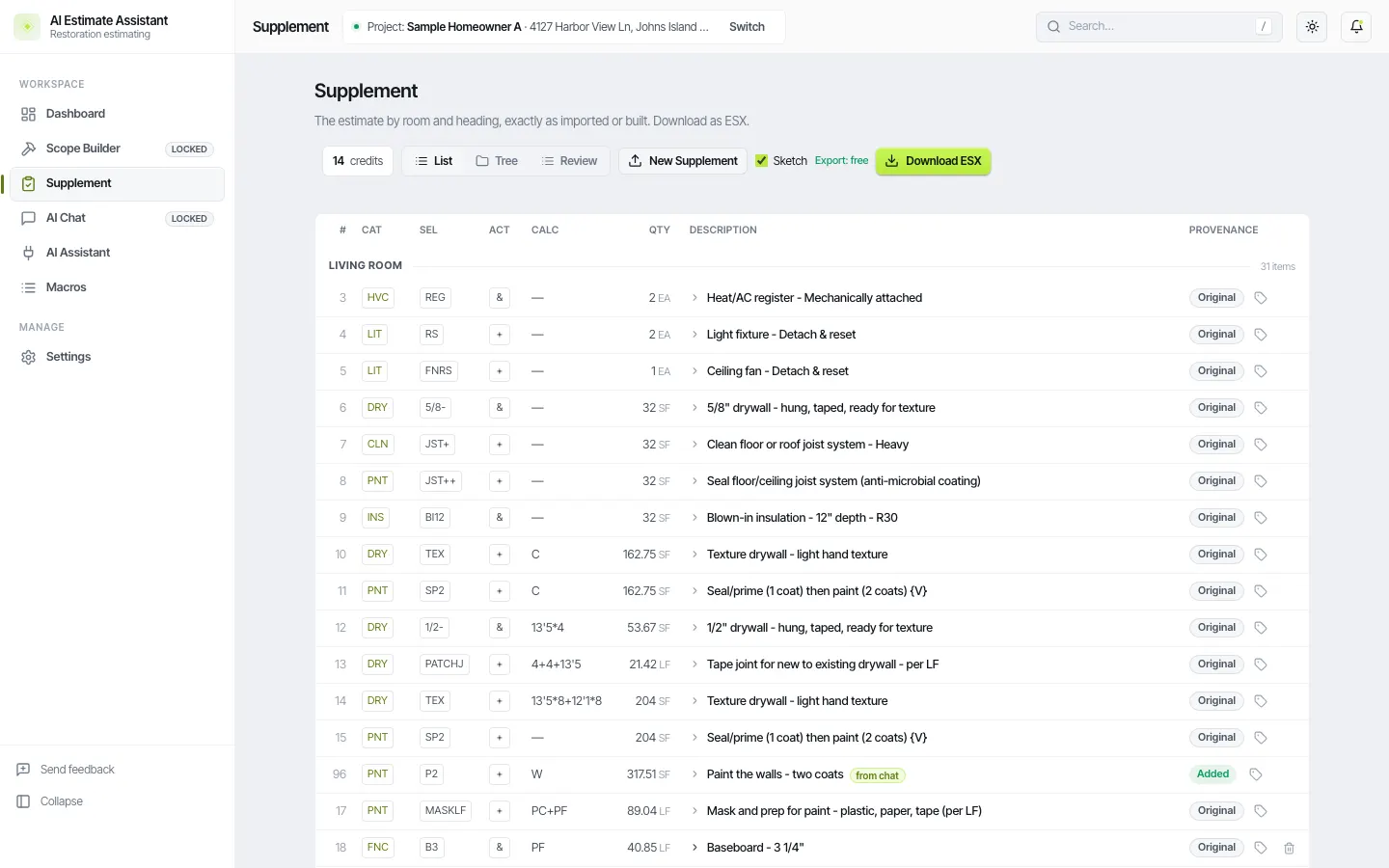
Round trip with Xactimate
AIEA sits next to Xactimate. Estimates go in and out as many times as you need.
- In. A carrier PDF, a Symbility estimate, or an ESX you exported from Xactimate.
- Work. Edit lines and the sketch in the app, or tell your chat app what to change. AIEA supplies the codes and the estimating rules, so the chat cannot invent a line item.
- Out. Export an ESX, import it into Xactimate, price it, and keep working.
- Back in. Export from Xactimate and bring the ESX back for bulk changes or another pass.
Edit estimates from Claude, ChatGPT, or Gemini
Connect the chat app you already use. It reads your estimate and edits it in plain language. AIEA checks every line against the catalog and walks the chat through the build, room by room. A bulk change is one instruction:
- "Change every R&R drywall line to wet tear-out plus a replace-only line."
- "Add masking in every room that has baseboard."
- "Add a detach and reset for the ceiling fan in each bedroom."
- "Add PNT SP2 on W in every room where drywall is replaced."
- "Save the master bedroom scope as a macro called Bedroom water."
Type codes the way you already do. DRY TEXMK is accepted as typed. Macros save a room's scope so you can
reuse it on the next estimate.
What happens to pricing
A line the chat adds or changes carries no price. Xactimate prices it when you import the ESX. Lines the chat did not touch keep what the original estimate had.
Review and undo
Every chat edit shows on the estimate page tagged "from chat." Undo one or the whole batch. AIEA asks you to review them once before export. It will not price lines, it will not use Xactimate pricing to price your estimate, and it will not decide coverage. You are the estimator.
The connect steps are in How to edit an Xactimate estimate with ChatGPT or Claude and on the AI assistant page.
Can I bring an estimate back from Xactimate?
Yes. Export the ESX from Xactimate and import it.
Can I undo what the chat did?
Yes, one change or a whole batch.
Will the ESX open directly in Xactimate?
Yes. It is a standard ESX with folders, line items, codes, and quantities.