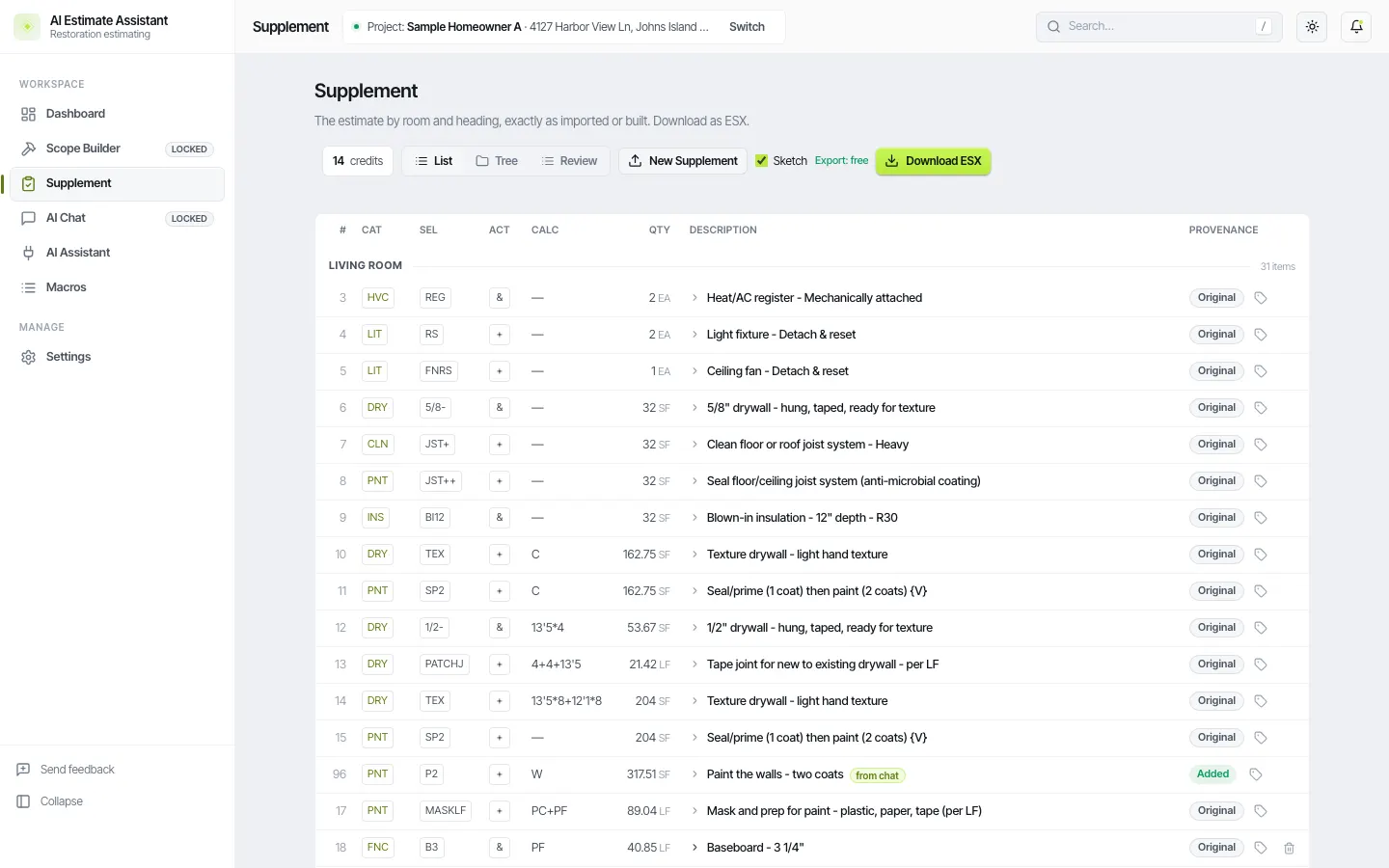
Short answer. A chat app cannot open an ESX by itself, and when you paste an estimate into it the app invents codes. Connect it to AIEA and it works on the real estimate: it reads rooms and lines, makes the edits you ask for, and AIEA checks every code against the catalog before the line is added.
What you need
- An AIEA account. Free accounts can build up to 3 estimates in chat.
- ChatGPT (free or paid personal), Claude, or Gemini.
- An estimate in AIEA: import a PDF, start from an ESX, or create a new one in chat.
Connect
- In AIEA, open AI Assistant and copy the server address.
- In your chat app, add a custom connector and paste the address. In ChatGPT this is under Plugins, Browse, Add a custom MCP server. In Claude it is under Settings, Connectors.
- Sign in with your AIEA login when the chat app sends you there.
Things to ask for
- “List the rooms in this estimate and what is in each.”
- “Change every R&R drywall line to wet drywall tear-out plus a replace-only drywall line.”
- “Add PNT SP2 on W in every room where drywall is replaced.”
- “Add a detach and reset for the range and refrigerator in the kitchen.”
- “Save the master bedroom scope as a macro called Bedroom water.”
What happens to pricing
A line the chat adds or changes carries no price. Xactimate prices it when you import the ESX. Lines the chat did not touch keep what the original estimate had.
Review and undo
Every chat edit shows on the estimate page tagged “from chat.” Undo one or the whole batch. AIEA asks you to review them once before export.
What it will not do
It will not price lines, it will not use Xactimate pricing to price your estimate, and it will not decide coverage. You are the estimator.